Extract Pages from PDF – In Your Browser, No Uploads
Extract Pages
or
Rendering page thumbnails…
🔒 Your file is processed entirely in this browser tab. It is never uploaded anywhere.
What Is This Extract Pages Tool?
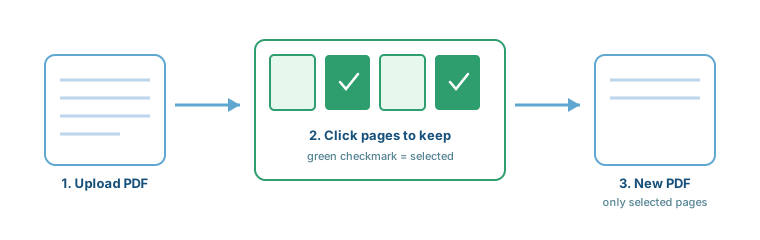
This tool lets you pull specific pages out of a PDF and save them as a brand-new file — without installing desktop software, and without uploading your document anywhere. Select pages visually or by typing a range, and download a new PDF built from exactly the pages you chose.
Unlike tools that convert pages into flattened images, this one copies the original page objects directly, so any text stays exactly as selectable and searchable as it was in the source file.
Three Ways to Select Pages
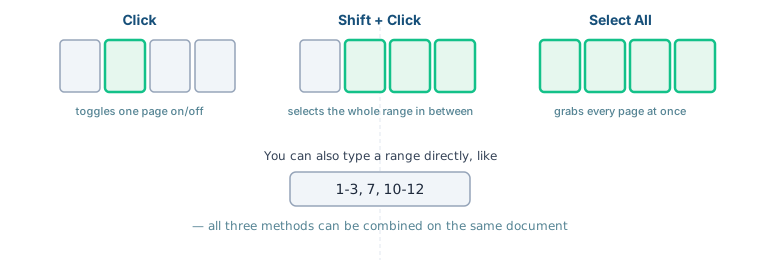
Click any thumbnail to toggle it on or off. Hold Shift and click a second thumbnail to select everything in between. Or skip the clicking entirely and type a range directly — see below.
Selecting Non-Consecutive Pages
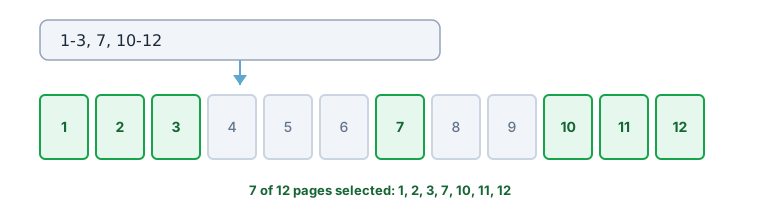
Need pages 1 through 3, plus page 7, plus pages 10 through 12? Type 1-3, 7, 10-12 into the range box and click "Select These Pages" — no need to click each thumbnail individually.
Key Features
Why Use This Tool?
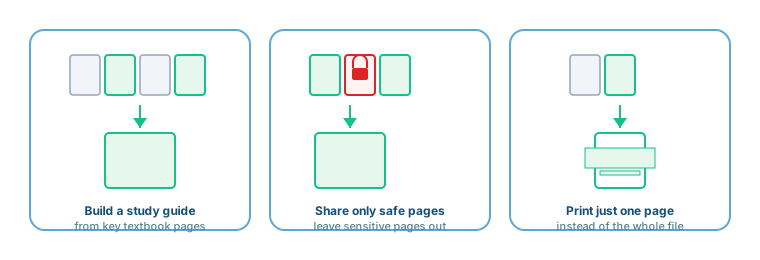
- Reduce File Size: A 200-page report with a handful of relevant pages becomes a small, easy-to-email file.
- Protect Privacy: If a document has a sensitive page, simply leave it unselected — it never appears in the extracted file.
- Create Custom Documents: Assemble a study guide or reference sheet from scattered pages across a longer document.
- Save Time: Skip scrolling through a long PDF to find the one page you actually need.
Extract vs. Split vs. Delete: Which Do You Need?
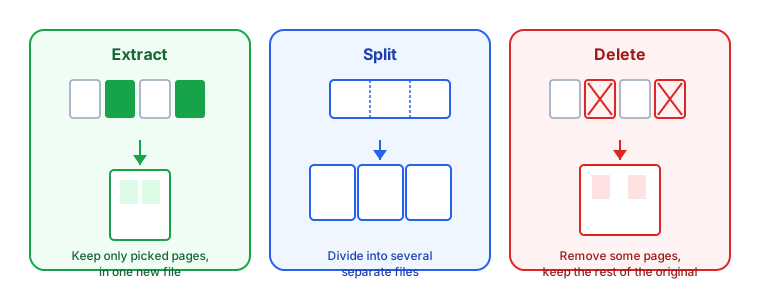
These three tools are often confused. Extract (this tool) keeps only the pages you pick, in one new file. Split divides a whole document into several separate files. Delete removes specific pages but keeps everything else in the original file. If you're not sure which you need, ask: "do I want to keep a few pages, break the whole thing apart, or remove a few pages?"
How to Extract Pages – Step by Step
- Upload: Click "Choose File" or drag and drop your PDF.
- Select: Click thumbnails, Shift-click a range, or type a range like
1-3, 7, 10-12. - Preview: Selected pages are outlined in green — double-check before extracting.
- Extract: Click "Extract Selected Pages."
- Download: Your new PDF downloads automatically.