Case Converter Online – Free, Fast & Secure Tool
Convert Your Text
Everything You Need to Know About Case Converters
Have you ever spent twenty minutes manually retyping a long paragraph just because you accidentally left the Caps Lock key on? Or finished a blog post only to realize the title looks messy and inconsistent? Whether you are a student, a professional developer, or a creative writer, text formatting can be a tedious hurdle in an otherwise productive day.
This is where a Case Converter becomes your best friend. Instead of manually editing every single letter, a text case converter transforms your content into the format you need with one click.
What Is a Case Converter?
A Case Converter is a tool that automatically changes the capitalization of a block of text, recognizing the structure of your words and applying formatting rules — such as making everything uppercase, lowercase, or capitalized like a book title.
Quick Reference: All 9 Formats at a Glance
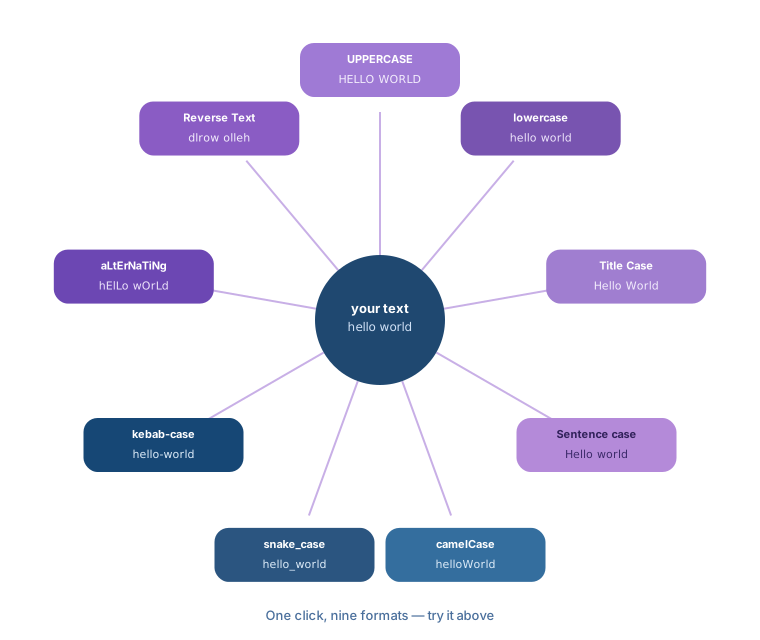
| Format | "hello world" becomes |
|---|---|
| UPPERCASE | HELLO WORLD |
| lowercase | hello world |
| Title Case | Hello World |
| Sentence case | Hello world |
| camelCase | helloWorld |
| snake_case | hello_world |
| kebab-case | hello-world |
| aLtErNaTiNg cAsE | hElLo wOrLd |
| Reverse Text | dlrow olleh |
By using a free case converter tool, you eliminate the risk of human error and speed up your writing or coding workflow.
Types of Case Conversion Formats
1. UPPERCASE
Every letter becomes a capital. Good for screaming headlines, warnings, or abbreviations.
Example: This is urgent → THIS IS URGENT
2. lowercase
Every character becomes small. Commonly used for email addresses, URLs, or cleaning up text that was accidentally typed in all caps.
Example: STOP SHOUTING → stop shouting
3. Title Case
Capitalizes the first letter of every word — including words after line breaks, not just spaces. Makes headings look professional and organized.
Example: how to cook pasta → How To Cook Pasta
4. Sentence case
The most common format for standard writing. Capitalizes the first letter after the start of the text and after every ., !, ?, or line break.
Example: the sun is bright. it is warm! → The sun is bright. It is warm!
5. camelCase
Used by programmers. Removes spaces (and recognizes existing hyphens or underscores as separators too) and capitalizes the first letter of every word except the first.
Example: user profile image → userProfileImage
6. snake_case
Replaces spaces (or hyphens) with underscores and keeps everything lowercase. A favorite for developers and database managers.
Example: meta description tag → meta_description_tag
7. kebab-case
Like snake_case, but with hyphens. Widely used in URL slugs and CSS class names.
Example: red apple fruit → red-apple-fruit
8. aLtErNaTiNg cAsE
Alternates lowercase and uppercase letter by letter. Mostly used for social media or playful text.
Example: hello world → hElLo wOrLd
9. Reverse Text
Flips your text backward — a fun feature for social media, riddles, or unique passwords.
Example: Hello → olleH
How to Use the Case Converter
- Copy the text you want to format from your document, email, or code editor.
- Paste it into the text box above.
- Click the format you want — the text box updates instantly.
- Copy the converted text and paste it back into your project.
Benefits of Using a Case Converter
Who Should Use a Case Converter?
- Students: Fixing capitalization in essays, bibliographies, and assignments.
- Bloggers & Content Creators: Using Title Case for headlines that grab attention.
- Social Media Managers: Switching styles for captions or threads quickly.
- Copywriters: Formatting calls-to-action and ad copy consistently.
- Web Developers: Converting between camelCase, snake_case, and kebab-case without manual typing.
- Editors: Cleaning up manuscripts with inconsistent formatting.
Why Use an Online Case Converter Instead of Manual Editing?
- Faster: No one can type as fast as a script can process text.
- More accurate: The tool follows strict rules and won't miss a capital letter, even across line breaks.
- Handles bulk text: Paste a few thousand words at once — try doing that by hand.
- Zero cost: Free, with no sign-up.
Tips for Proper Text Formatting
- Headlines: Use Title Case for article titles.
- Body Text: Use Sentence case for paragraphs — it's easiest for the eye to read.
- Avoid "All Caps": Long stretches of all-capital text read as shouting and are harder to scan. Save it for short headings or warnings.
- Code Standards: Agree on camelCase or snake_case with your team early, and stick to it.