JPG to PNG Converter – In Your Browser, No Uploads
Image Converter (JPG · PNG · WebP)
Drag & Drop Images
or
🔒 Your images are processed entirely in this browser tab. They are never uploaded anywhere.
JPG, PNG, and WebP: Choosing the Right Image Format
Images are the language of the web. Whether you're uploading a profile picture, designing a site, or sending a report, format matters more than most people realize. Ever had an upload rejected for "unsupported file type," or watched a sharp graphic turn blurry once it's live? That usually comes down to picking the wrong format for the job.
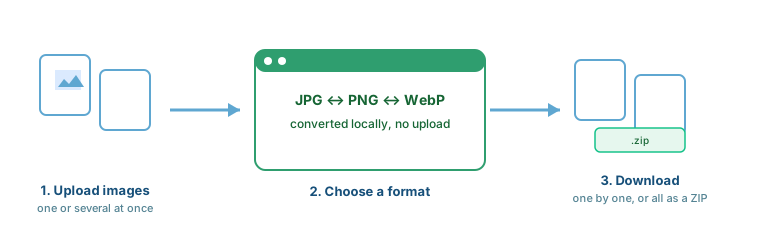
This tool converts between JPG, PNG, and WebP entirely inside your browser — no uploads, no server, no waiting.
What Is an Image Format Converter?
- JPG to PNG: Moves a compressed JPG into PNG's lossless container — often done to enable transparency or avoid further quality loss during editing.
- PNG to JPG: Compresses a PNG into JPG, usually to shrink file size for web use or to meet an upload requirement.
- WebP: A newer format that can be smaller than both, at similar quality, for browsers that support it.
When to Use Each Format
| Feature | JPG (JPEG) | PNG |
|---|---|---|
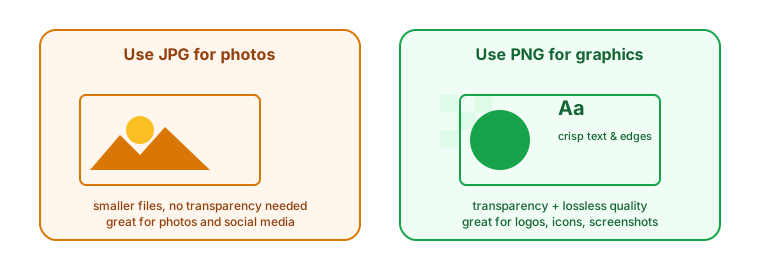
| Compression | Lossy (smaller, loses some data) | Lossless (larger, keeps all data) |
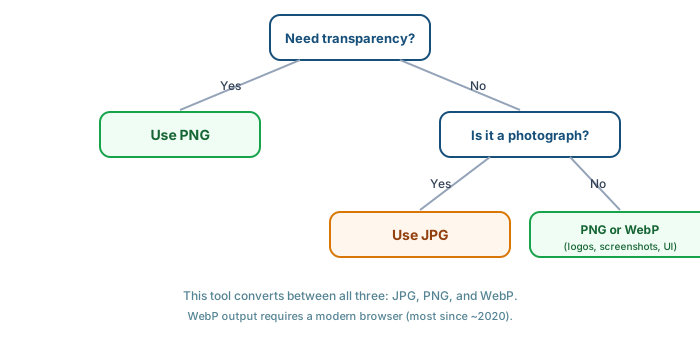
| Transparency | No | Yes |
| Best for | Photos, social media | Logos, icons, text-heavy graphics |
Lossy vs. Lossless, Zoomed In
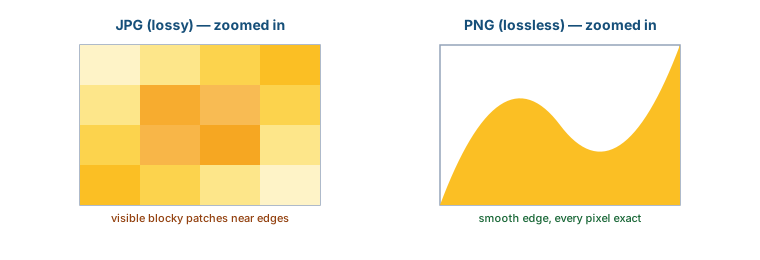
JPG's compression discards detail the eye is less likely to notice, which keeps files small but can show up as soft blockiness around sharp edges, especially after repeated re-saves. PNG keeps every pixel exactly as it was, at the cost of a larger file — worth it for logos and screenshots, often overkill for a simple photo.
The Transparency Trap (and How This Tool Avoids It)
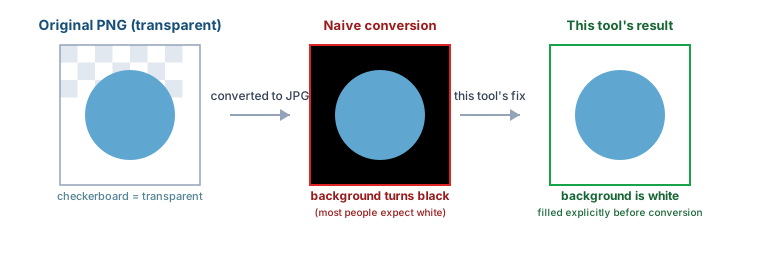
JPG has no concept of transparency. When a transparent PNG is converted to JPG, many simple converters leave the result up to the browser's default behavior — which commonly renders transparent areas black, not white, catching people off guard. This tool explicitly fills transparent areas with white before converting to JPG, matching what almost everyone actually expects.
How This Converter Works
- Upload: Choose one image or several at once, or drag and drop them in.
- Select Format: Pick JPG, PNG, or WebP as your output.
- Convert: Your browser processes every image instantly — nothing is uploaded.
- Download: Save results individually, or click "Download All as ZIP" to get everything in one file.
Key Features
Common Use Cases
- Website Optimization: Smaller JPGs mean faster-loading pages, which matters for both visitors and search ranking.
- Social Media: Convert to whichever format a platform's upload requirements expect.
- Graphic Design: Convert a client's JPG logo to PNG to remove the background and place it on different colored canvases.
- Blogging: JPGs for photos to keep pages light, PNGs for instructional screenshots so text stays crisp.
Common Mistakes to Avoid
- Renaming instead of converting: Changing a file's extension from ".jpg" to ".png" doesn't actually change the format — it just confuses your computer. Always use a real converter.
- Converting back and forth repeatedly: Each JPG save loses a little quality. Keep an original and convert from it each time rather than chaining conversions.
- Using PNG for everything "just in case": A simple photo saved as PNG can be several times larger than the same photo as JPG, for no visible quality gain.
Is This Safe to Use?
- No uploads: Your images are read and converted directly in your browser's memory. They're never sent anywhere.
- No accounts, no tracking of your files: There's nothing to delete later, because nothing was ever stored on a server in the first place.
Who Should Use This Tool?
- Students: Preparing images for documents or presentations.
- Social Media Managers: Prepping assets for different platforms quickly.
- Web Developers: Optimizing site assets, including modern WebP output.
- Office Workers: Converting scanned images into more manageable formats.