How We Build Accurate Online Calculators
Anyone can put a formula in a text box. Making sure that formula is correct — and stays correct when someone enters a zero, a negative number, or a number a thousand times bigger than expected — is the actual work. Here's the real process every calculator on this site goes through before and after it's published.
1. Formula Verification
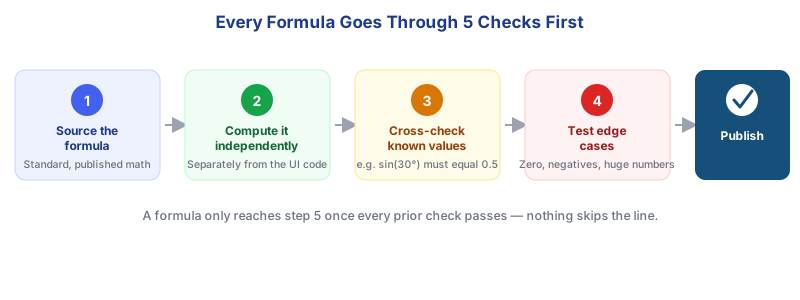
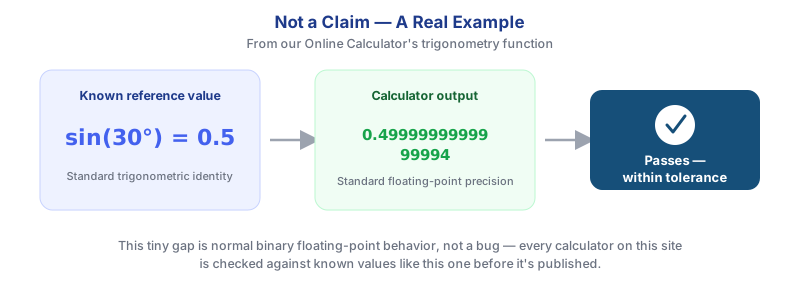
Every calculator starts with a formula pulled from a standard, published source — not reverse-engineered from guesswork. Before it's wired into a page, we compute it independently, separately from the interface code, and cross-check the output against known reference values.
2. Modern Web Technologies
We build with plain HTML, CSS, and JavaScript rather than heavy frameworks — no unnecessary dependencies for a page whose job is to take a number in and give a number back. That keeps pages fast to load and simple to audit line by line when something needs to be verified or fixed.
- Semantic HTML so screen readers and search engines can both understand page structure.
- Mobile-first responsive layout rather than a desktop design that's shrunk down afterward.
- No data leaves your browser for calculators that don't explicitly require it — the math runs client-side.
3. Input Validation
Numeric fields reject non-numeric text, units are standardized and labeled, and invalid states (like a negative age or an empty required field) return a clear message instead of a blank result or a silent wrong answer.
4. Testing & Quality Assurance
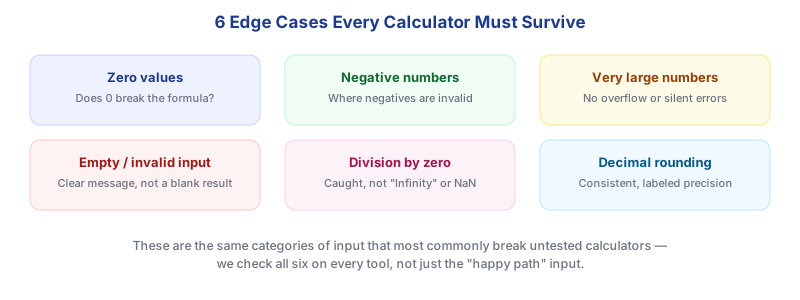
Every calculator is run through the same set of edge cases before it's considered ready — not just the "normal" input someone is expected to type:
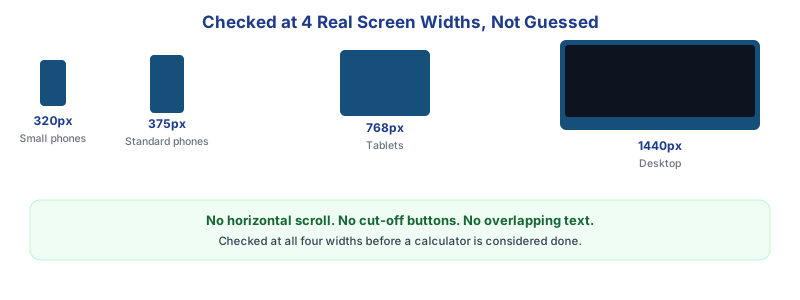
Layout gets the same rigor as the math. We check every calculator at multiple real screen widths — not just an assumption that "responsive CSS" is enough:
5. Continuous Updates
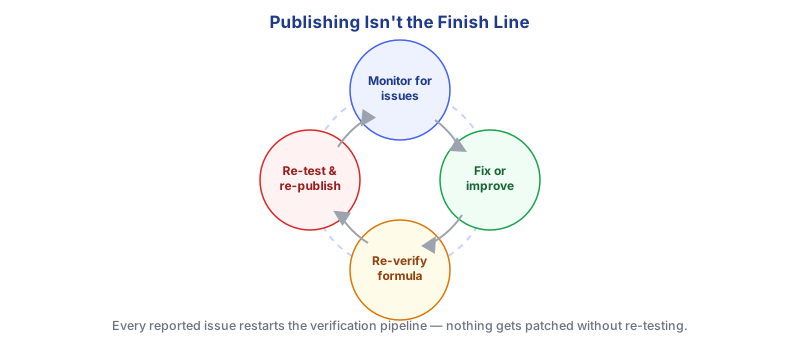
Publishing a calculator isn't the end of the process. When an issue is reported or a calculator needs a new feature, it goes back through the same pipeline rather than getting a quick, unverified patch.
Why This Matters to You
None of this is visible when you use a calculator — you just see a number come back. But it's the difference between a tool you can rely on for a homework problem or a loan decision, and one that quietly gives you a wrong answer because nobody checked what happens when the input field is empty. If you ever spot something that looks off, the fastest way to get it fixed is to tell us — see the FAQ below.
Frequently Asked Questions
How are calculators built on Small Calculator Hub?
Each calculator is coded in JavaScript, based on a verified formula, computed independently to check the logic, cross-checked against known reference values, and tested against edge cases before it's published.
Do you check formulas for accuracy?
Yes. Every formula is checked against known reference values, such as confirming sin(30°) returns 0.5, before it goes live.
What edge cases do you test?
Zero values, negative numbers, very large numbers, empty or invalid input, division by zero, and decimal rounding precision are checked on every calculator.
Do you test calculators on mobile devices?
Yes. Every calculator is checked at multiple real screen widths, including small phones, standard phones, tablets, and desktop, to confirm there's no horizontal overflow or cut-off content.
What happens if a bug is found after a calculator is published?
Reported issues go back through the same verification pipeline: the fix is re-verified against reference values and re-tested before being re-published, rather than patched without re-checking.
Can users suggest new calculators or report issues?
Yes, user suggestions and issue reports are welcome and are what typically start the fix-and-improve part of our maintenance cycle.
Related Pages
Explore the full library at Small Calculator Hub.